
Introduction
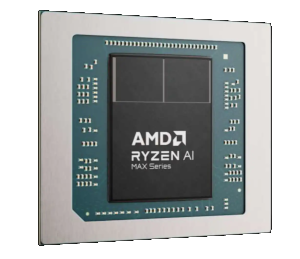
Some months ago, I decided to buy a Framework Desktop [1]. When getting it, I admit my first impressions of it was…not great. This was especially true given being spoiled by my main setup. I sat with my current setup for a period of time, but over the winter break I was able to get back to it again, and honestly am glad I did.
It’s a little server, the unified memory comes in quite handy, but it does need tweaking. Also, it requires a bit of a re-calibration of expectations, especially if you’re used to overall good performance from models. But, if properly calibrated, it’s a nice system.
The good
There’s a lot to like about the AI Max. The 128Gb of RAM is quite useful, although that’s where the first limitation can be felt. Not all of it is available. There are ways of getting around this, and I’ll talk about it later, but it’s a challenge. Second, the software ecosystem is okay, not great, but okay. Once you know how to navigate the gotchas, it’s not a horrible experience. There’s a good deal of activity in this space, luckily, and we’re seeing performance increases.
The box is also quite small. It its in my server cabinet, and acts headless. On a side note, Framework is a really good company. This was my first machine I purchased from them, but I can see doing so again.
The bad
Some of the bad came up above, but I do want to highlight it again, plus mention a few others. The full 128Gb isn’t available. In fact, if you use the BIOS, you can only allocate 96Gb of VRAM to this thing. If you’re using this as a desktop computer - like a workstation, then this likely is a good thing. Operating systems, plus utilities and programs take up RAM an 32GB is a reasonable amount for most people. That said, if you’re running headless and have curtailed dependencies, then this becomes an issue.
Another limitation of the device is the memory bandwidth. Compared to my A6000s ADAs (or any NVIDIA GPU for that matter), 256Gb/s is quite slow. Noticeable for sure, even with optimized models. As I mentioned earlier, you need to re-calibrate your expectations to some degree.
Software wise, things are progressing fairly quickly. AMD released a recent blog article [2] where they have Comfy performance “(up to) 5x faster”. So, they’re making progress. The “bad” of this is that many developers haven’t set targets to this chipset, so very little works out of the box and has to be rebuilt. If you’re familiar with some development, this isn’t horrible though.
Gotcha #1 - Unified Memory
My first issue that I ran into was unified memory. As I mentioned earlier, this thing is meant to be a headless server. So, I have very little installed and want the memory for my models. You have to be very careful about what you read online regarding this process, since there’s misconfiguration information all over.
What I settled on is the following in my GRUB (edit /etc/default/grub on Ubuntu)
GRUB_CMDLINE_LINUX_DEFAULT="amdgpu.runpm=0 amdgpu.ppfeaturemask=0xffffffff pcie_aspm=off amdgpu.dpm=1 amdgpu.dc=1 amd_iommu=on iommu=pt kvm.ignore_msrs=1 amdgpu.gttsize=129024 ttm.pages_limit=33030144 ttm.page_pool_size=33030144 amdttm.page_pool_size=33030144 amdttm.pages_limit=33030144"
This does a lot. The first set of options is to keep any throttling of my box to a minimum. I want it to react quickly, and am not worried about power much. The second set of options (iommu portions) are described to show performance gains. In practice, I haven’t noticed too much, but I left it in, it doesn’t hurt. The last set of arguments is all related to dealing with unified memory. I create one giant pool of memory that’s about 125.5Gb. I tried using the full 128Gb, but I had stability issues loading multiple models into memory, I’ll get to that later.
Gotcha #2 - Model Considerations
I strongly encourage you not to run any dense models on this type of machine. This includes Flux 2, or any 30+B dense model that’s out there. Flux, on this machine, takes over 7 minutes to generate an image. For tokens/s in a dense model? 8 tokens/s. It’s basically unusable in my opinion.
Instead, stick with any of the MoE (also called sparse) models out there you want. You can load one big model, or a few smaller models. Embedding models work fine here too. I’ll get to what I’m using it for later, but any of the A3B series from Qwen or any other sparse models will work fine on this machine.
Gotcha #3 - Rebuild Needs
You should rebuild any services you intend to run on this machine, targeting properly to the chipset (gfx1151). As of this writing, a lot of projects are still stuck on the 6.4 series for ROCm, and haven’t upgraded to the 7.X branch. You’ll also need to use extra indexes when installing tensorflow or the like if you plan on using that.
Below is the Dockerfile I’m using for building my llama.cpp setup, which is what I’m using locally.
FROM rocm/dev-ubuntu-24.04:7.1.1-complete
ENV PATH=/opt/rocm/bin:/opt/rocm/llvm/bin:/usr/local/sbin:/usr/local/bin:/usr/sbin:/usr/bin:/sbin:/bin
ENV LD_LIBRARY_PATH=/opt/rocm/lib:/opt/rocm/lib64:/opt/rocm/llvm/lib
ENV LIBRARY_PATH=/opt/rocm/lib:/opt/rocm/lib64
ENV CPATH=/opt/rocm/include
ENV PKG_CONFIG_PATH=/opt/rocm/lib/pkgconfig

RUN apt-get update && apt-get install -y git cmake ninja-build wget ccache

RUN mkdir /build && cd /build && git clone https://github.com/ggerganov/llama.cpp && cd llama.cpp && mkdir build
RUN cd /build/llama.cpp/build && cmake .. -G Ninja \
  -DCMAKE_C_COMPILER=/opt/rocm/llvm/bin/clang \
  -DCMAKE_CXX_COMPILER=/opt/rocm/llvm/bin/clang++ \
  -DCMAKE_CXX_FLAGS="-I/opt/rocm/include" \
  -DGGML_HIP_UMA=ON \
  -DCMAKE_BUILD_TYPE=Release \
  -DGPU_TARGETS="gfx1151" \
  -DBUILD_SHARED_LIBS=ON \
  -DLLAMA_BUILD_TESTS=OFF \
  -DGGML_HIP=ON \
  -DGGML_OPENMP=OFF \
  -DGGML_CUDA_FORCE_CUBLAS=OFF \
  -DGGML_HIP_ROCWMMA_FATTN=ON \
  -DLLAMA_CURL=OFF \
  -DGGML_NATIVE=OFF \
  -DGGML_STATIC=OFF \
  -DCMAKE_SYSTEM_NAME=Linux \
  -DDML_RPC=ON

RUN cd /build/llama.cpp/build && cmake --build . -j $(nproc)

RUN ln -s /build/llama.cpp/build/bin /llama-cpp

WORKDIR /llama-cpp
ENTRYPOINT [ "/llama-cpp/llama-server" ]
EXPOSE 8080/tcp
There’s some you can change above. For example, some say that Vulkan works better (my experience doesn’t show that to to be the case). It’s a good idea to have periodic rebuilds of your own container, though. For example, llama.cpp had a merge about 5 days ago fixing an issue with memory reporting. You can also likely use another base container [3] if needed. I didn’t aim for container size concerns in any of this. They’re huge, bloated, and quite frankly I don’t care, but if you do, check the references for other containers.
To run this type of container, you can see one of my docker compose files below:
services:
  llama_cpp_qwen3vl:
    image: thedarktrumpet/llama:latest
    privileged: true
    ports:
      - 6051:8000
    environment:
      - ROCBLAS_USE_HIPBLASLT=1
    volumes:
      - ./models:/data
    devices:
      - /dev/kfd:/dev/kfd
      - /dev/dri:/dev/dri
    group_add:
      - video
    cap_add:
      - SYS_PTRACE
    security_opt:
      - seccomp=unconfined
    ipc: host
    entrypoint:
      - /llama-cpp/llama-server
    command:
      - -m
      - '/data/Qwen3VL-30B-A3B-Thinking-Q8_0.gguf'
      - --mmproj
      - '/data/mmproj-Qwen3VL-30B-A3B-Thinking-F16.gguf'
      - --port
      - "8000"
      - --host
      - 0.0.0.0
      - -n
      - "2048"
      - --n-gpu-layers
      - "999"
      - --ctx-size
      - "64000"
      - --flash-attn
      - on
      - --no-mmap
networks:
  internal_network:
    external: true
With this setup, I’m getting a good 722.63 tokens per second prompt eval time, and 45.92 tokens per second output time. I’m quite happy with the performance, even it’s not as fast as my main workstation.
Below, I’m giving the ComfyUI Dockerfile I tried to use. It’s worth mentioning again. For my setup, comfy simply isn’t usable for me. I may try the new flux model at some point, but I’ll likely not bother (more on this later). I’m providing this so you can see how I approached it. note that the commented out flash-attn is due to the container not having access to the GPU at time of build. I didn’t bother to fix it there, and had it as part of a setup to get it installed on first run, if not installed, then start comfy. If there’s ever a desire, I can provide that.
FROM rocm/dev-ubuntu-24.04:7.1.1-complete
ENV PATH=/opt/rocm/bin:/opt/rocm/llvm/bin:/usr/local/sbin:/usr/local/bin:/usr/sbin:/usr/bin:/sbin:/bin
ENV LD_LIBRARY_PATH=/opt/rocm/lib:/opt/rocm/lib64:/opt/rocm/llvm/lib
ENV LIBRARY_PATH=/opt/rocm/lib:/opt/rocm/lib64
ENV CPATH=/opt/rocm/include
ENV PKG_CONFIG_PATH=/opt/rocm/lib/pkgconfig

ENV PYTORCH_TUNABLEOP_ENABLED=1
ENV MIOPEN_FIND_MODE=FAST
ENV ROCBLAS_USE_HIPBLASLT=1

RUN apt-get update && apt-get install -y git cmake ninja-build wget ccache
RUN git clone https://github.com/Comfy-Org/ComfyUI.git /comfyui
RUN cd /comfyui && pip install -r requirements.txt --break-system-packages
RUN pip uninstall -y torch torchvision torchaudio --break-system-packages && pip3 install --pre torch torchvision --index-url https://download.pytorch.org/whl/nightly/rocm7.1 --break-system-packages

# Try with flash-attn
# RUN pip install triton==3.2.0 --break-system-packages
# ENV FLASH_ATTENTION_TRITON_AMD_ENABLE="TRUE"
# RUN cd /tmp && git clone https://github.com/ROCm/flash-attention.git && \
#    cd flash-attention && \
#    git checkout main_perf && \
#    python3 setup.py install

COPY entry.sh /

WORKDIR /comfyui
ENTRYPOINT [ "/entry.sh"]
EXPOSE 8188/tcp
My Setup (What am I using it for?)
There are three things I’m currently running on this box. I haven’t fully settled on everything, but as of the writing here I have:
- Qwen3-Coder-30B-A3B-Instruct-Q5_K_M.gguf [4]
- Qwen3VL-30B-A3B-Thinking-Q8_0.gguf [5]
- qwen3-vl-embedding-8b-q4_k_m.gguf [6]
I’ve been a big fan of the Qwen series for some time now. They have, overall, excellent models if you are good with prompt engineering. I’ve also fine tuned a few of them as well. These all run in Docker, and exposed through subdomain access. I have a LLM router that pulls everything together between the machines into one common interface that works well for me. Even with all this loaded, I have about 32Gb left that I can fit in yet, which I’m likely to do next with faster-whisper, or maybe a voice model.
I run a lot of models, all with their own purposes. For these specifically, the Instruct variety is good for tool calling and coding in general. The thinking one will replace the one I’m using on my primary server (a dense 30B Qwen 3 model), which will free up some memory for other services I want to run there.
Conclusion
Overall, I’m quite happy with the AMD Strix-style of chips, given their price point. They’re reasonably priced for what you get. That said, setting it up took me a lot longer than I wanted to expend on it. There are still limitations (e.g. I can’t use LocalAI quite yet, just haven’t had the energy to deal with that yet since I need to rebuild the backend and link properly). If one’s getting into AI and wants to test things out without committing too much money, this is quite a good choice over a standard video card, especially since they’re likely going to go up in price by quite a bit in the near future [7].
References
- Framework Desktop
- AMD x ComfyUI: Advancing Professional Quality Generative AI on AI PCs - AMD
- AMD ROCm(TM) Platform - Dockerhub
- unsloth/Qwen3-Coder-30B-A3B-Instruct-GGUF - Huggingface
- unsloth/Qwen3-VL-30B-A3B-Thinking-GGUF - Huggingface
- aiteza/Qwen3-VL-Embedding-8B-GGUF - Huggingface
- Gamers face another crushing blow as Nvidia allegedly slashes GPU supply by 20%, leaker claims — no new GeForce gaming GPU until 2027 - Tom’s Hardware